Build the lineup once.
Individuals, relays, going or scratch. The file you send is that lineup — not a second copy of the team.
All product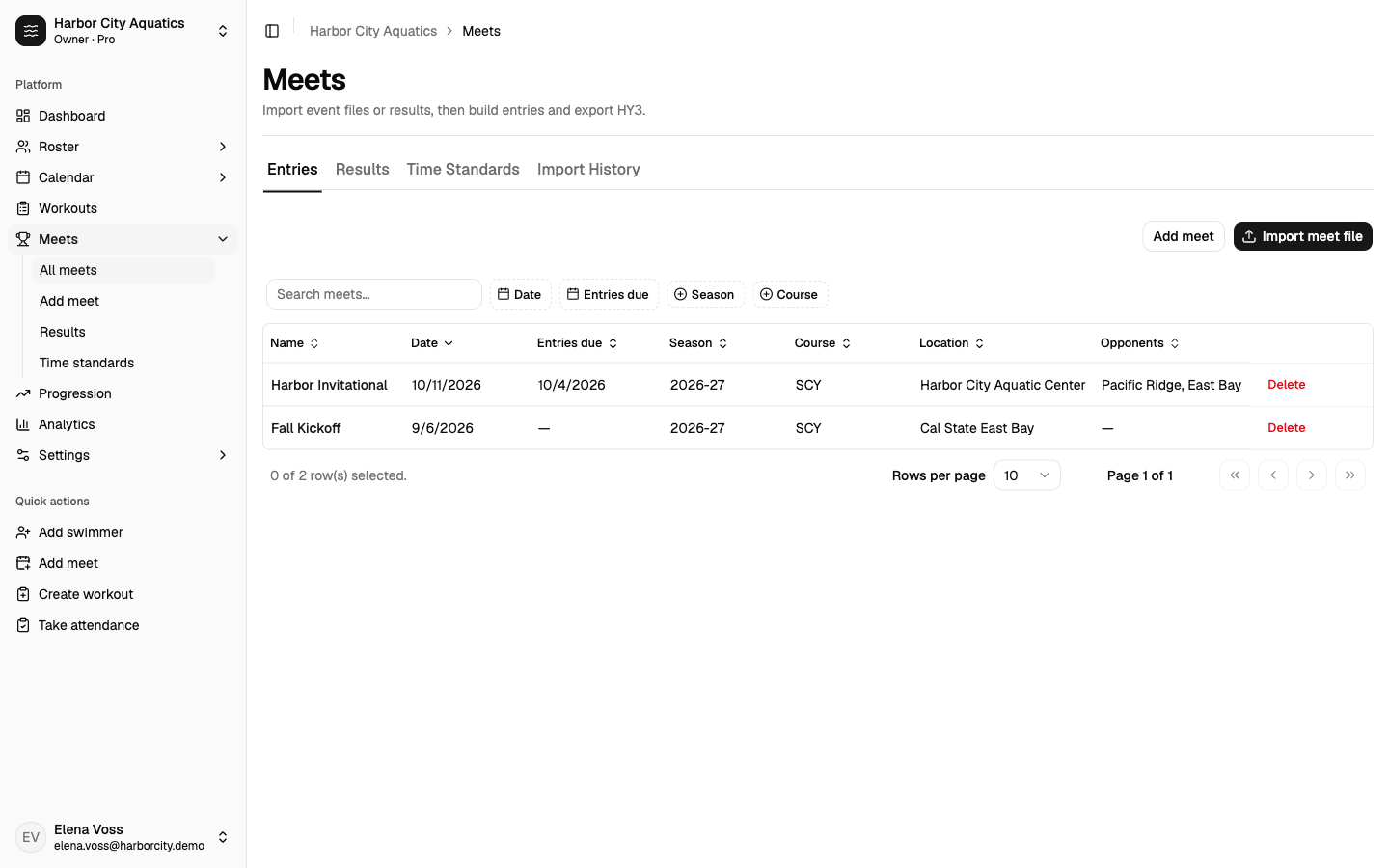
From the event file
Import EV3, HYV, XLS, or a ZIP. Sessions, events, qualifying times, and JV/Varsity divisions come with it. Combined swim/dive meets skip dive events so a swim-only team is not stuck.
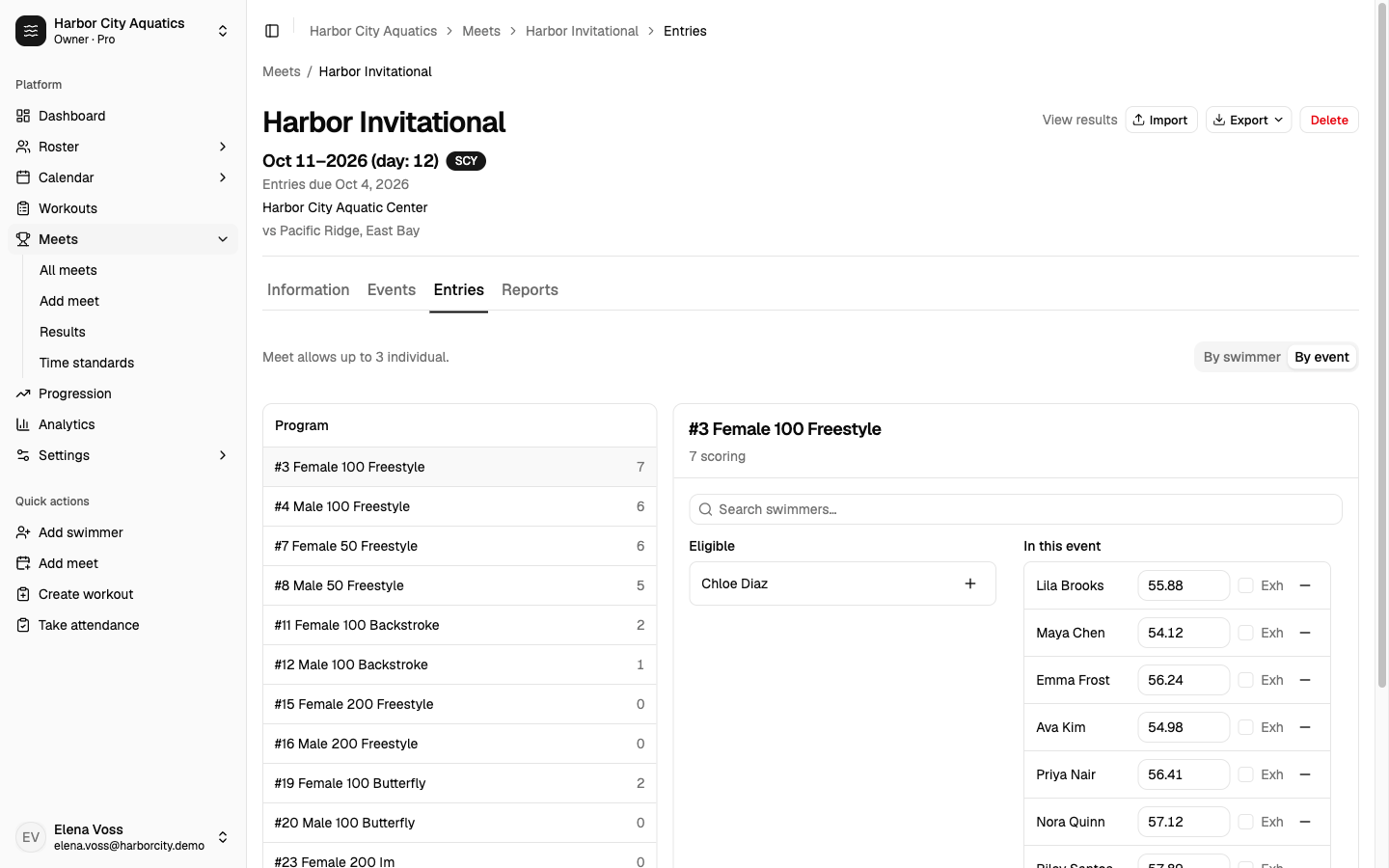
Building entries
Mark who is attending, including relay-only swimmers. Seed times fill from best times; you can override. Relays take four legs plus alternates when the meet requires them. Pro can suggest a lineup and relay order given entry limits and cuts.
Validation catches per-meet and per-day caps, association event caps, and QT misses before export. Scratch keeps the row.
The file they asked for, and paper
Export HY3/CL2 for Meet Manager, or SDIF for TeamUnify and SwimTopia. Print the individual meet entries report and a split sheet. Default omits relay alternates; you can include them. Split cadence is print-only.
Results, last best, and the cut
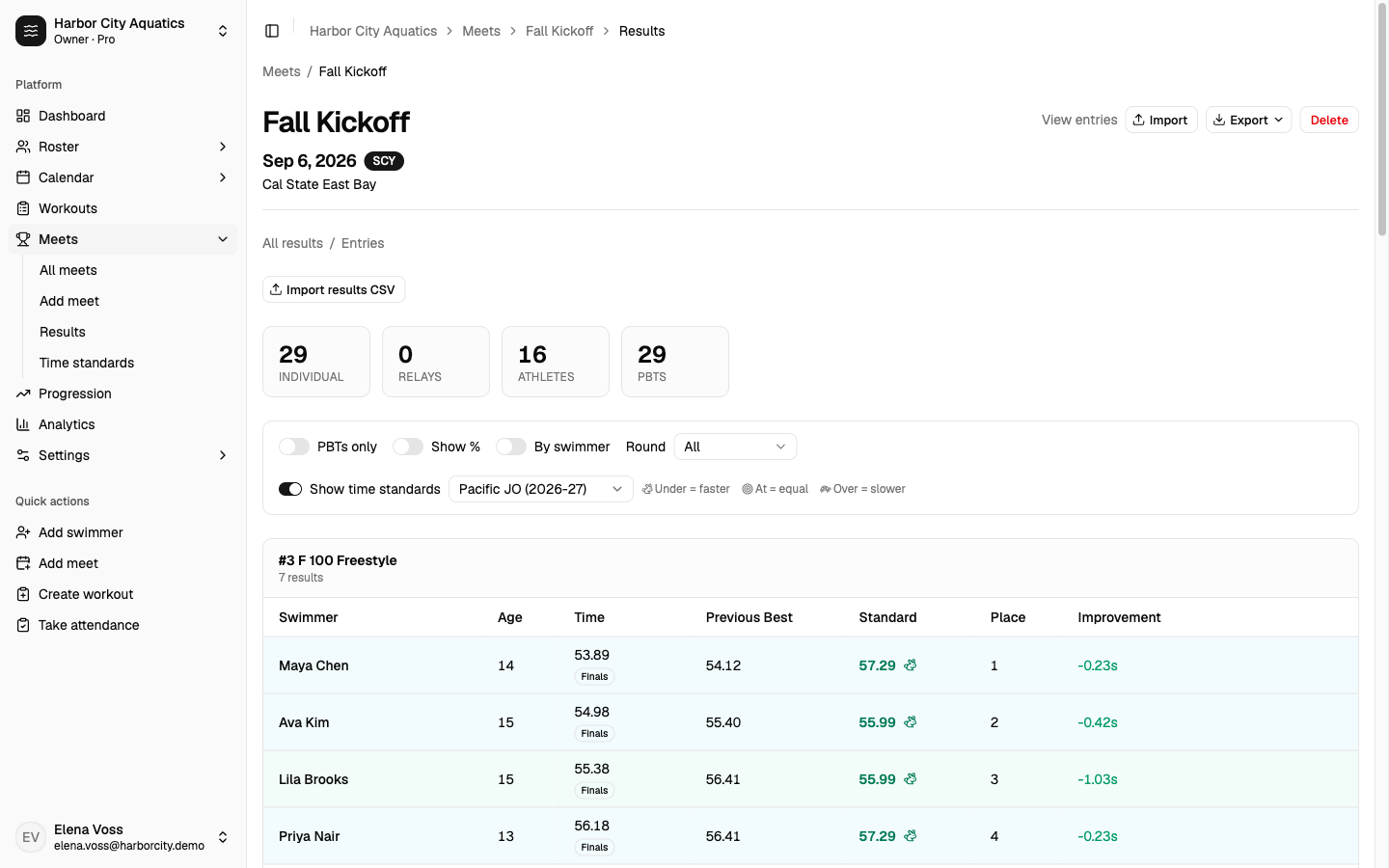
Import the results file after the meet. Each row displays the new time right next to their previous best, so you can see the drops without opening a second sheet.
Toggle time standards on the same page. Pick JO, sectionals, or a set you imported. Under, at, or over the cut sits on the row. Faster swims update best times. Unmatched names stay on a review list.
Start with the next meet on your calendar.
Create a team, bring in the event file, and send your entries. Free for one coach. No credit card.